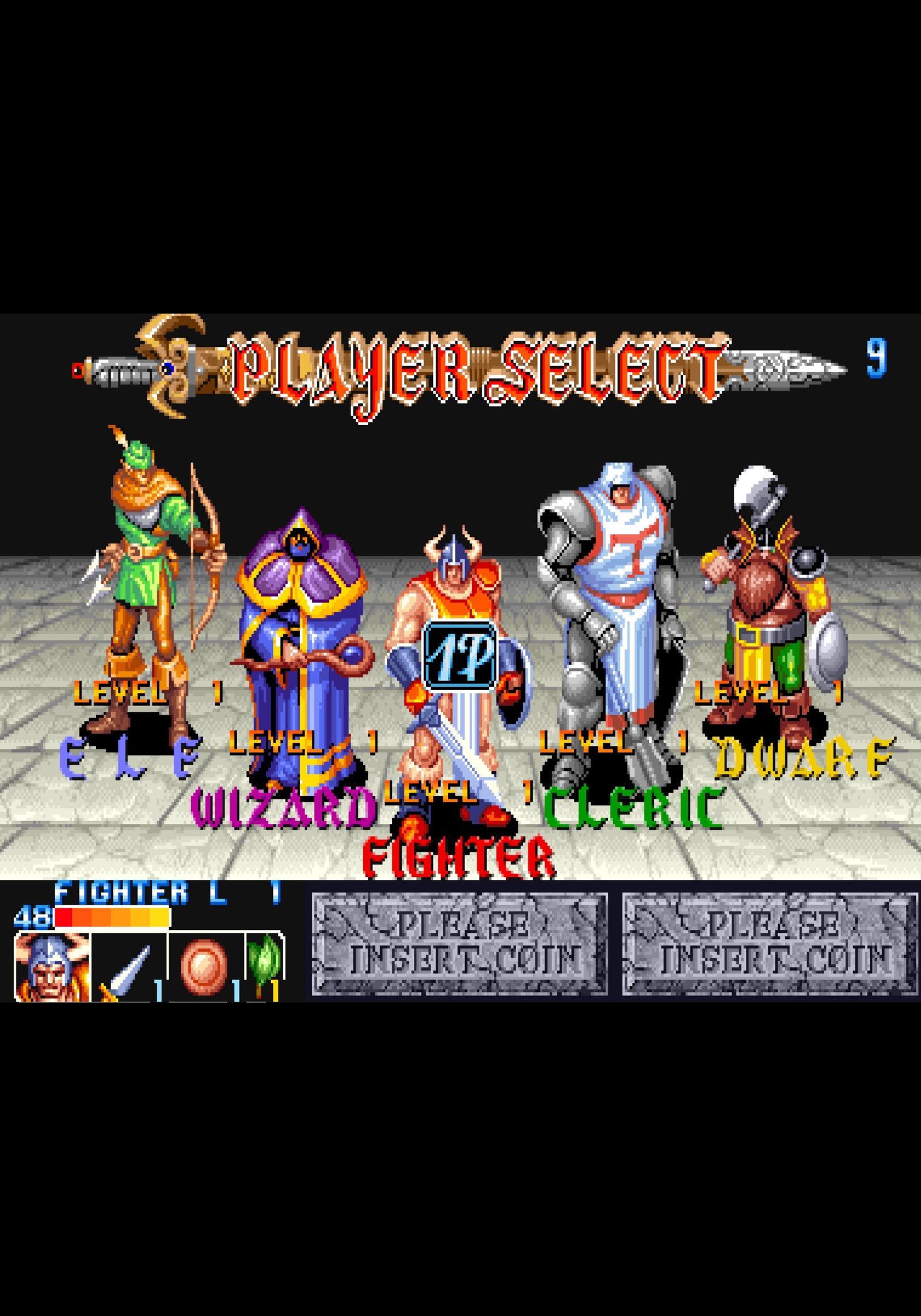
The King of Dragons is a classic 1991 Capcom fantasy-themed hack-and-slash beat ’em up, originally developed for the CP System (CPS-1) arcade hardware. It is set in a world threatened by a powerful red dragon named Gildiss.
Gameplay Mechanics
Similar to Capcom’s later Knights of the Round, the game incorporates unique mechanics that set it apart from typical beat ’em ups.
- Leveling and Upgrades: Points from killing monsters and collecting treasure count as experience. Gaining levels increases your character’s health bar and other attributes, with visual changes to weapons and armor as you level up.
- Tactical Defense and Magic: The Fighter, Cleric, and Dwarf can use a shield to block most non-grab attacks with a well-timed press away from the enemy. All characters can also unleash a screen-clearing magical attack by pressing both the Attack and Jump buttons simultaneously, which costs a small amount of health.
- Dynamic Items: Magic orbs found in levels can be struck to bounce along the ground; timing the activation is key to maximizing their strategic use against groups of enemies.
Playable Characters
The game features a diverse roster of five characters, each with a distinct playstyle that makes for varied gameplay:
- Fighter: A balanced swordsman with good melee attacks and defense, but weak magic.
- Cleric: The largest hero with excellent defense and decent magic, but is the slowest and has the worst agility.
- Dwarf: A small, agile warrior who is a difficult target to hit, with quick melee attacks but the shortest range.
- Elf: A forest hunter with superb aiming, excellent range, and high speed, though she has low defense and physical strength.
- Wizard: Has the best magical attacks but the weakest defense; his attack power becomes very powerful in later stages of the game.
Leave a Reply