Dungeons & Dragons: Shadow over Mystara is a landmark title for Capcom’s CP System II (CPS2) arcade hardware, released in 1996. As a sequel to Dungeons & Dragons: Tower of Doom, it is widely considered one of the deepest brawlers of its era, blending traditional fighting mechanics with extensive RPG elements such as leveling, equipment management, and branching narrative paths.
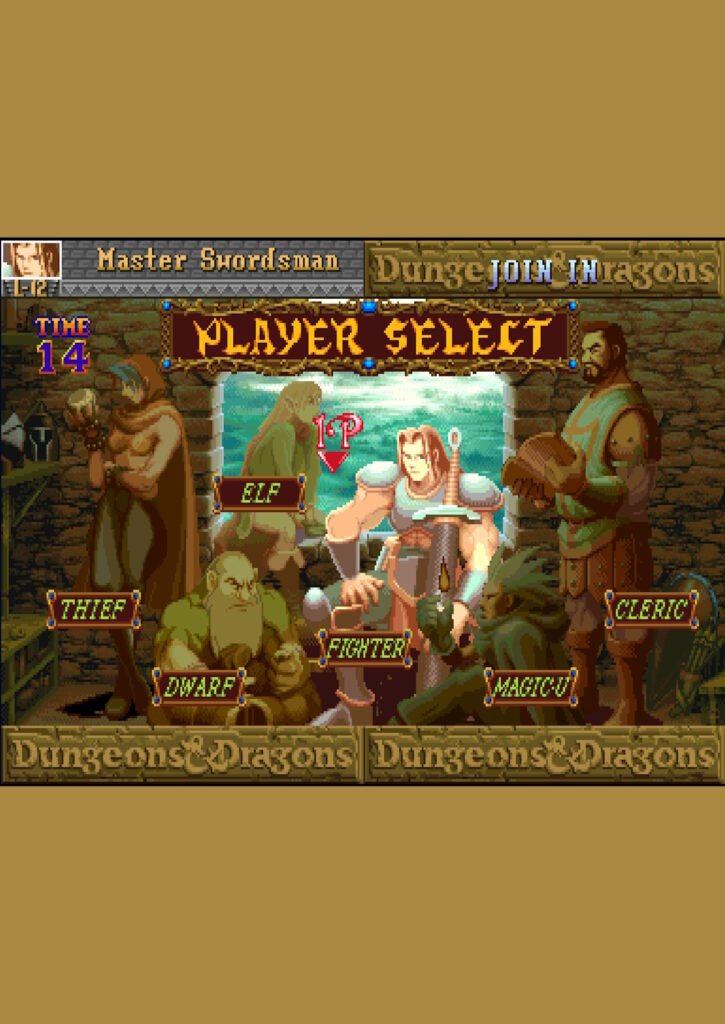
Playable Characters
The game features six distinct character classes, each with unique abilities, strengths, and weaknesses:
- Fighter: A balanced melee expert with high health and the unique ability to dual-wield short swords.
- Cleric: A formidable warrior who can turn undead and cast divine spells to heal or buff the party.
- Elf: A versatile fighter-mage with a short reach but access to powerful offensive spells and infinite arrows.
- Dwarf: A tank with the highest hit points and the ability to bash chests for extra treasure.
- Thief: A high-dexterity character who can detect traps, pick locks, and perform a double jump.
- Magic-User: The physically weakest character but the most powerful at high levels, utilizing a massive library of devastating spells.
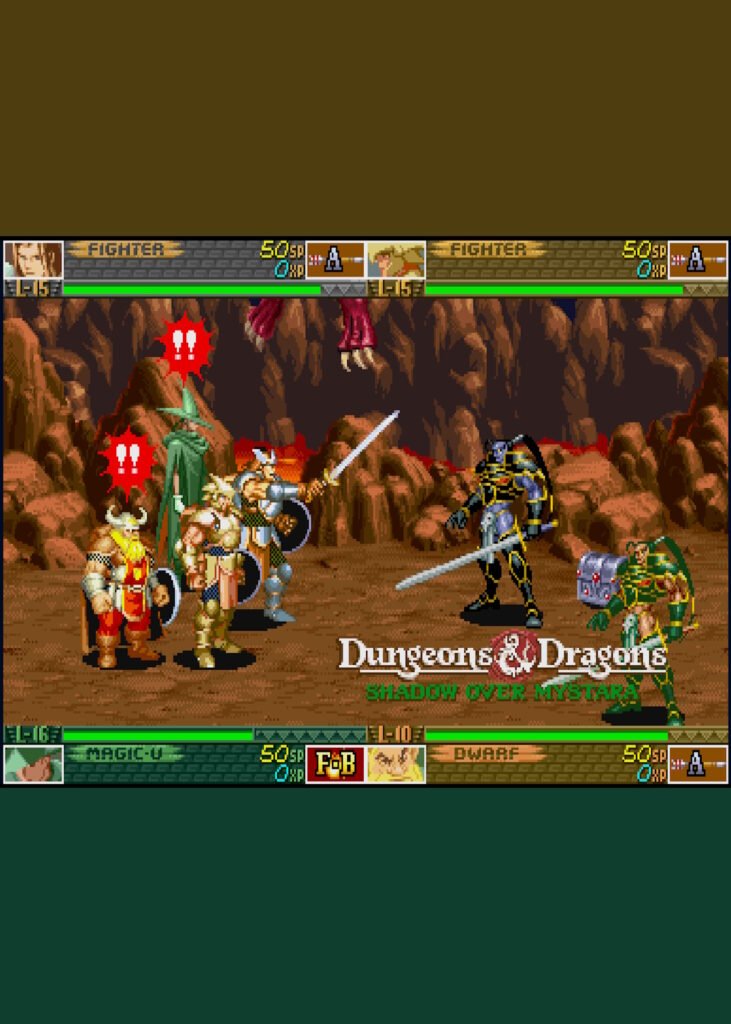
Core Gameplay Mechanics
Shadow over Mystara introduced several complex systems that set it apart from standard arcade brawlers:
- RPG Progression: Characters earn experience points (XP) to level up, increasing their health and unlocking new spells.
- Equipment & Inventory: Players can find, buy, and equip various weapons, armor, and magical relics. A unique “ring menu” system is used to cycle through items and spells mid-combat.
- Branching Paths: The game features multiple narrative forks, leading to different bosses, secret areas, and 20 distinct endings.
- Fighting Game Influence: Beyond standard attacks, characters can perform special moves using joystick motions similar to the Street Fighter series.
Leave a Reply